MyProductiveLifeCo
Ultimate Task Tracker Spreadsheet for Google Sheets & Excel
Ultimate Task Tracker Spreadsheet for Google Sheets & Excel
Couldn't load pickup availability
Organize every task, project and deadline in one connected productivity system.
Stop juggling multiple planners and scattered to-do lists. Enter every task once and watch it automatically update your Dashboard, Kanban Board, Gantt Chart, Eisenhower Matrix, Task Schedule, Weekly View, Monthly View and Annual View.
Whether you're managing work projects, running a business, organizing your home, planning school assignments or tracking personal goals, this spreadsheet helps you stay organized from start to finish.
If you have any questions before or after your purchase, feel free to send me a message. I'm always happy to help!
This spreadsheet is designed to work best with Google Sheets and Excel 365 subscriptions.
Contact us right away if you have any questions :)
After you purchase:
You will receive a confirmation email and soon after you will receive another email with links to download your files.
- For Google Sheets: Download the PDF. In the PDF click on the button. It will redirect you to the Google Sheet website where you can make a copy of the file. If the file opens in "View Only" go to "File" and chose "Make a copy".
- For Excel: Download the .xlsx file and open file in Microsoft Excel.
━━━━━━━━━━━━━━━━━━━━
✨ WHY YOU'LL LOVE IT
━━━━━━━━━━━━━━━━━━━━
✓ Enter every task only once
✓ Multiple planning methods in one workbook
✓ Automatically updates every connected view
✓ Interactive Dashboard
✓ Automatically expands recurring tasks
✓ Beginner Friendly
✓ Google Sheets & Excel 365 Compatible
✓ Complete YouTube Video Tutorial Included
✓ Instant Digital Download
━━━━━━━━━━━━━━━━━━━━
🔄 HOW IT WORKS
━━━━━━━━━━━━━━━━━━━━
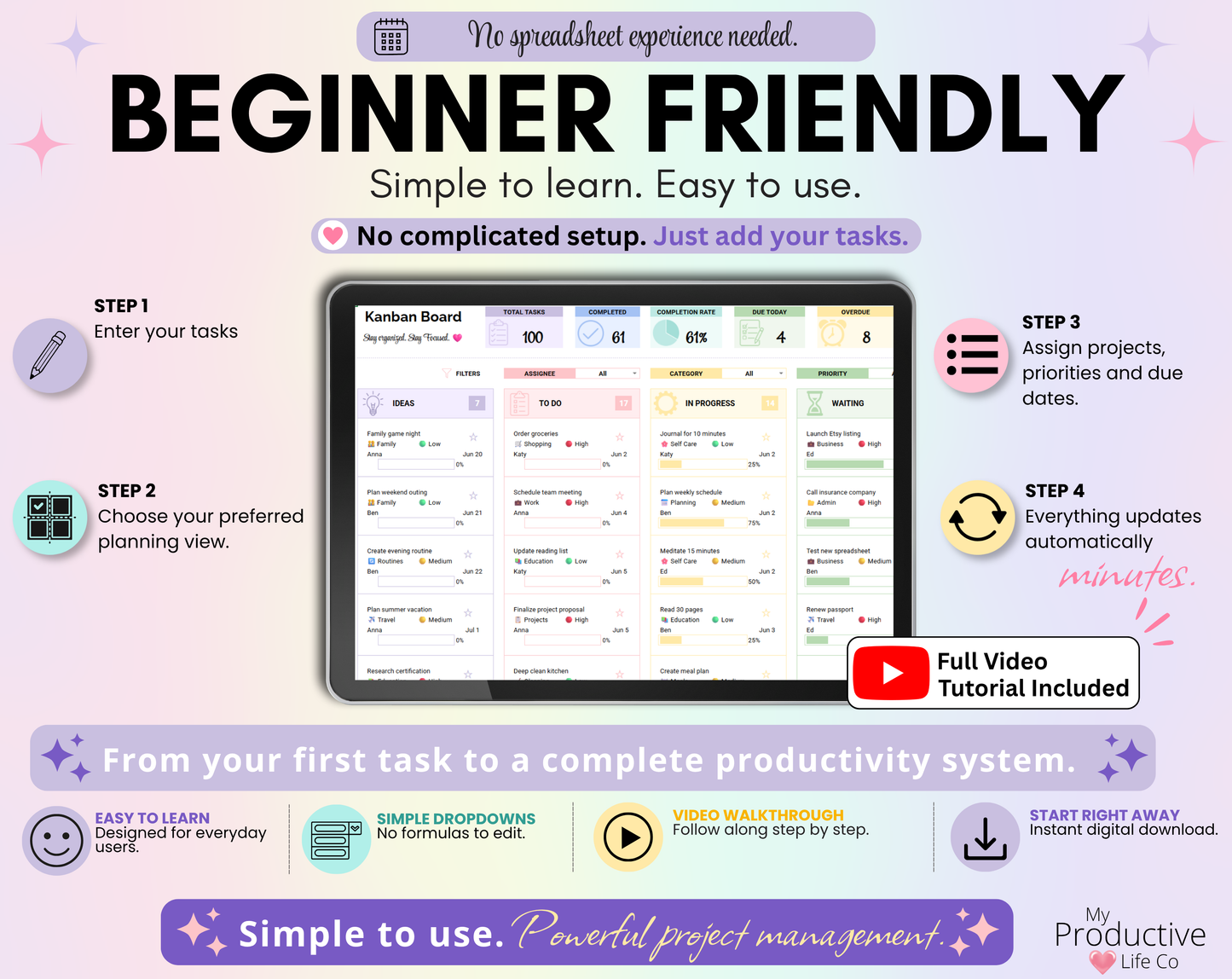
1. Enter your tasks in the Master Task List.
2. Choose the planning view that works best for you.
3. Every connected tab updates automatically.
4. Stay organized without entering the same task twice.
━━━━━━━━━━━━━━━━━━━━
📋 WHAT'S INCLUDED
━━━━━━━━━━━━━━━━━━━━
📊 Dashboard
Monitor task progress, upcoming deadlines, overdue tasks and productivity at a glance.
📝 Master Task List
Your central workspace for every task, project, priority, due date, assignee and recurring schedule.
🎯 Eisenhower Matrix
Automatically organize tasks into the four Eisenhower quadrants so you can prioritize what matters most.
📌 Kanban Board
Visualize every stage of your workflow with an easy-to-manage Kanban board.
📈 Gantt Chart
Plan projects from start to finish with an automated timeline that updates as your tasks change.
📅 Task Schedule
Recurring tasks automatically expand into every scheduled occurrence, creating a complete task schedule for you.
🗓 Weekly View
See your upcoming week at a glance and stay on top of upcoming tasks and deadlines.
📆 Monthly View
View all your scheduled tasks in an easy-to-read monthly calendar.
📖 Annual View
See your projects, recurring tasks and important deadlines across the entire year.
⚙️ Setup
Customize projects, categories and assignees to match the way you work.
🎥 Instructions
Includes written instructions and a complete step-by-step YouTube video tutorial.
━━━━━━━━━━━━━━━━━━━━
💜 PERFECT FOR
━━━━━━━━━━━━━━━━━━━━
• Professionals
• Small Business Owners
• Entrepreneurs
• Freelancers
• Students
• Project Managers
• Teams
• Content Creators
• Home Organization
• Personal Productivity
• Goal Tracking
• Household Planning
━━━━━━━━━━━━━━━━━━━━
⚡ FEATURES
━━━━━━━━━━━━━━━━━━━━
✓ One Master Task List powers the entire workbook
✓ Kanban Board
✓ Gantt Chart
✓ Eisenhower Matrix
✓ Weekly, Monthly & Annual planning views
✓ Automatic recurring task scheduling
✓ Interactive Dashboard
✓ Smart filters throughout the workbook
✓ Automatic charts and statistics
✓ Progress tracking
✓ Custom projects, categories and assignees
✓ Designed for both personal and business planning
━━━━━━━━━━━━━━━━━━━━
📦 YOU WILL RECEIVE
━━━━━━━━━━━━━━━━━━━━
• Google Sheets version
• Microsoft Excel 365 (.xlsx) version
• PDF Setup Guide
• Complete YouTube Video Tutorial
━━━━━━━━━━━━━━━━━━━━
💻 COMPATIBILITY
━━━━━━━━━━━━━━━━━━━━
Compatible with:
• Google Sheets
• Microsoft Excel 365 (Subscription Version)
Please note:
This spreadsheet uses modern Excel functions that are only available in Microsoft Excel 365. It is not compatible with Excel 2021, Excel 2019, Excel 2016, Apple Numbers, LibreOffice or other spreadsheet software.
______________________________________________
》NOTES
- For Google Sheets, you will need Google Sheets and a basic understanding of how to use it.
- For Excel, you will need a Microsoft Excel 365 subscription and a basic understanding of how to use it.
- The spreadsheet looks and works better on a desktop/computer.
______________________________________________
》IMPORTANT
All designs are ©MyProductiveLifeCo. This item is for personal use and cannot be resold, redistributed, or used for any commercial purposes.
______________________________________________
》THIS IS A DIGITAL PRODUCT / INSTANT DOWNLOAD
Digital means its ready to download straight away after buying! No waiting, and no shipping fees. Purchase once and its yours forever!
*No physical product will be shipped*
______________________________________________
Share